

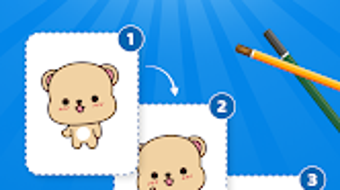
Description
Download Flipbook Draw Animation Maker – animation, draw, flipbook, frame-by-frame, gif, mp4, onion skinning, mobile animation
Overview
Flipbook Draw Animation Maker is a mobile application designed to empower users with the tools needed to create frame-by-frame animations directly on their Android devices. The software targets individuals passionate about digital art and animation, including hobbyists, students, and aspiring animators. Its core purpose is to simplify the animation creation process through an intuitive interface and a suite of accessible drawing tools. By enabling users to craft animations from scratch, Flipbook helps overcome common barriers such as complex software learning curves and the need for high-end hardware. Real-world usage scenarios include creating short animated clips for social media, designing visual stories, or experimenting with motion in digital illustrations. The app supports unlimited frame creation, allowing for extended animation sequences without artificial constraints. It also provides playback controls and export options in widely supported formats like GIF and MP4, facilitating seamless sharing across platforms. While the developer is listed as Flipbook, no additional details about the company or its background were provided. The app is available at no cost, making it accessible to a broad audience seeking creative expression through animation.
Key Features & Capabilities
- Frame-by-Frame Animation Tools: Users can create animations by drawing each frame individually, offering full control over motion and timing. This method is ideal for hand-drawn style animations and detailed character movements.
- Onion Skinning Support: This feature allows users to view multiple frames simultaneously, helping maintain consistency in movement and reducing the effort required to align elements across frames.
- Comprehensive Drawing Toolset: The app includes a variety of brushes, pencils, and color options, enabling users to customize their artistic style and achieve different visual effects.
- Customizable Frame Rate: Users can adjust the playback speed of their animations by setting custom frame rates, allowing for smooth or stylized motion depending on the desired outcome.
- Export in Multiple Formats: Animations can be exported as GIF or MP4 files, ensuring compatibility with most social media platforms, messaging apps, and video editing tools.
- Unlimited Frame Creation: There are no artificial limits on the number of frames, allowing for long-form animations and extended creative projects.
- Background Customization: Users can set custom backgrounds, including solid colors, gradients, or imported images, to enhance the visual context of their animations.
- Shape and Text Tools: Additional tools allow for the inclusion of geometric shapes and text elements, expanding the app’s utility for animated infographics and storytelling.
- Efficient Frame Management: The interface enables users to organize, delete, duplicate, and reorder frames with ease, improving workflow efficiency during the editing phase.
User Interface, Workflow & Performance
The user interface of Flipbook Draw Animation Maker is designed with simplicity and functionality in mind. Navigation is structured around a central canvas area where frames are displayed and edited, complemented by toolbars and frame management panels. The layout supports touch-based interaction, making it suitable for use with styluses or fingers. Users can switch between frames, access drawing tools, and manage layers through intuitive gestures and buttons. The workflow follows a linear progression: sketching frames, refining details, adjusting timing, and exporting the final animation. While the developer did not specify resource usage details, the app’s file size of 24.5 MB suggests a lightweight footprint, which may contribute to smooth performance on mid-range Android devices. Performance observations are based on general software behavior patterns, indicating that the app likely maintains responsive interactions during drawing and playback. Stability during extended use has not been publicly documented, but the absence of reported issues in the app’s description implies a reliable core experience. The app does not require an internet connection for core functionality, supporting offline animation creation and editing.
Compatibility & System Requirements
Flipbook Draw Animation Maker is designed for Android devices and is compatible with the latest versions of the operating system. The app is available in version 2.5.0 and has a file size of 24.5 MB. The developer did not specify exact system requirements, such as minimum RAM, processor speed, or storage space needed for optimal performance. Platform compatibility information is limited to Android, and no details were provided regarding support for tablets, wearables, or other form factors. Installation is straightforward, with the app available through official Android distribution channels. Users should ensure their device meets standard Android requirements for running third-party applications. The developer did not disclose whether the app supports older Android versions or requires specific hardware features like a stylus or high-resolution displays. Exact performance details were not specified, and no information was provided about background processes or battery consumption during animation use.
Pros and Cons
Pros
- Free to download and use, making it accessible to a wide range of users.
- Intuitive interface suitable for both beginners and experienced animators.
- Supports unlimited frame creation for extended animations.
- Includes onion skinning for improved animation consistency.
- Offers export options in popular formats like GIF and MP4.
- Comprehensive drawing tools with customizable brushes and colors.
- Lightweight installation size (24.5 MB) for efficient storage use.
- Offline functionality allows animation creation without internet access.
Cons
- No information was provided about minimum system requirements or hardware compatibility.
- Performance under heavy use or on older devices has not been verified.
- Limited to Android platform; no support for iOS, Windows, or Mac.
- Exact resource usage (CPU, RAM) was not disclosed.
- Customization options for animation playback and export settings are not detailed.
FAQ Section
Is Flipbook Draw Animation Maker available for iOS devices?
The app is currently available only for Android. No information was provided about future support for iOS or other platforms.
Can I use this app without an internet connection?
Yes, the core animation features function offline. Users can create, edit, and export animations without requiring an active internet connection.
What file formats can I export my animations in?
Animations can be exported in GIF and MP4 formats, which are widely supported across social media, messaging apps, and video platforms.
Does the app support stylus input?
While the developer did not specify stylus compatibility, the app’s touch-based interface suggests it may work with styluses, though this has not been confirmed.
How often are updates released?
The app is currently at version 2.5.0, released on March 10, 2024. No information was provided about the update frequency or future release plans.
Final Thoughts + CTA
Flipbook Draw Animation Maker stands out as a capable and accessible tool for mobile animation enthusiasts. Its combination of frame-by-frame control, onion skinning, and export flexibility makes it a strong choice for users seeking to create expressive animations on Android. The app’s free pricing model and lightweight design enhance its appeal, particularly for beginners exploring animation for the first time. While platform limitations and the lack of detailed system requirements may restrict some users, the core functionality remains robust and well-suited for casual and creative projects. For individuals interested in digital storytelling, social media content, or animation experimentation, this app delivers a streamlined experience without unnecessary complexity. The absence of monetization through ads or in-app purchases in the provided information further supports its user-friendly approach. Overall, Flipbook Draw Animation Maker offers a compelling entry point into the world of animation with minimal barriers to entry. Download Flipbook Draw Animation Maker now.
Guides & Tutorials for Flipbook Draw Animation Maker
How to install Flipbook Draw Animation Maker
- Click the Preview / Download button above.
- Once redirected, accept the terms and click Install.
- Wait for the Flipbook Draw Animation Maker download to finish on your device.
How to use Flipbook Draw Animation Maker
This software is primarily used for its core features described above. Open the app after installation to explore its capabilities.
User Reviews for Flipbook Draw Animation Maker 0
No reviews found





